The clinician has approved the referral. What's left is paperwork: a clear letter, the right destination, and proof it arrived.
This guide is for referral coordinators, front-desk staff and practice managers at primary care, urgent care and specialty offices. It covers what goes into a referral fax, the mistakes that cause referrals to stall, and how to send one from a computer or phone without printing or dialing a fax machine.
Why referrals still move by fax
Referrals cross organizations — a family practice on one EHR sending to a cardiology group on another. Fax is the channel almost every receiving office already monitors, and HIPAA recognizes fax as a permitted way to send treatment information when appropriate safeguards are in place. Your organization is still responsible for deciding whether its overall workflow meets its own compliance requirements.
The receiving specialist does not need any new software. They receive your referral on the fax line they already use.
What a complete referral fax includes
Missing details can lead to a callback before scheduling. Check the receiving office's requirements and include:
- Referring provider — clinician name, practice, NPI if you have it, and a callback phone and return fax for replies
- Patient — full name and date of birth, plus MRN and insurance if the specialist needs them to schedule
- Receiving specialist — practice name, specialty and the referral fax number
- Reason for referral — the clinical question or service requested
- Urgency — the referring clinician's assessment and any direct-contact instructions; a form label does not guarantee a response time
- Supporting detail — ICD-10 codes and pertinent clinical notes
- Who sent it — the staff member transmitting the referral and their role
Watch a referral from start to confirmation
This short demonstration uses fictitious patient and clinician details and a test destination. The submission is simulated; no fax is transmitted.
Watch a referral from preparation to confirmation
A captioned demonstration with fictitious people and a test destination. Submission is simulated; no fax is transmitted.
Read the video transcript
- Start with a clinician-approved referral. Sign in to your FaxSeal account.
- Enter your practice, sender and fictitious patient details.
- Verify the receiving specialist and fax destination.
- Review the generated PDF and the exact fax delivery plus form service fee.
- Confirm your authority and sign the submission attestation.
- Confirm sending, then use the delivery status for follow-up. The demonstration submission is simulated.
Step by step with FaxSeal
- Sign in. A free account keeps patient details in your account and lets you track delivery. Your entries are saved as a draft while you work and kept for 24 hours if you step away.
- Enter the referral details. Referring clinician, patient, reason for referral, urgency and any ICD-10 codes or notes.
- Choose the specialist. Pick from your saved providers, or search the CMS NPI Registry by specialist or practice name. Save a provider once and it is one tap next time.
- Verify the fax number. Registry fax numbers can be out of date, and many practices use a separate line for referrals. Confirm the referral fax with the receiving office before the first send.
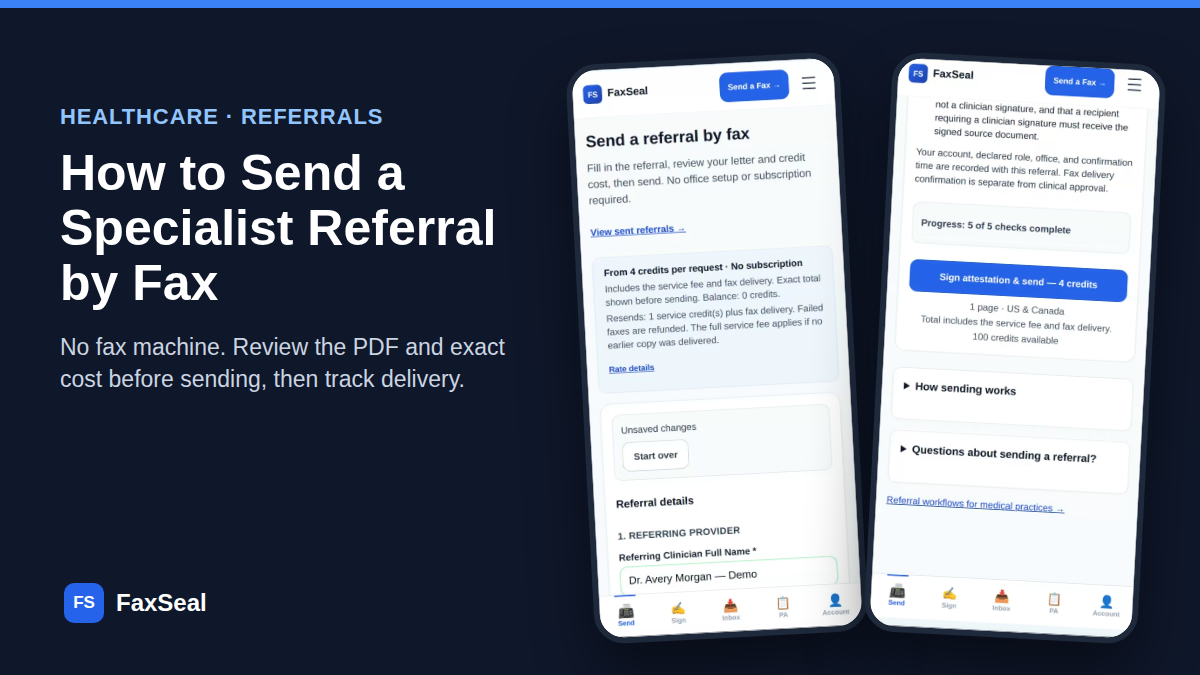
- Review the actual PDF and cost. Preview the generated referral letter exactly as it will be faxed. The page count, destination and total credit cost are shown before you confirm.
- Sign the submission attestation and send. Type your name to confirm you are authorized to transmit the referral and that the referring clinician approved it. This is your sender attestation, not a clinician signature.
- Track delivery. Follow the delivery status and find referrals under View sent referrals. If a fax fails, review the failure and destination before explicitly confirming a resend and its quoted cost.
A referral of up to 5 pages is approximately $2.40: $1.80 for the form service fee plus $0.60 for fax delivery. No monthly Send Referral subscription.
These estimates use the $59.99 prepaid Office Pack purchase. This is a pack purchase, not a single-referral checkout; unused balance remains available for later sends. Other packs have different effective rates. Review the exact total in the form before confirming. See all page ranges →
Send your first referral
Fax delivery + form service fee. No monthly Send Referral subscription or fax machine required. Review the exact total before sending.
Start a referral →Mistakes that stall referrals
- Sending to the main fax line. Larger groups route referrals to a dedicated intake number. A referral on the wrong line can sit for days.
- Missing insurance details. Many specialists verify coverage before scheduling. If the plan requires prior authorization for the visit, start that separately — the referral tells the specialist about the patient; the prior authorization request asks the payer to approve the service.
- Treating delivery as scheduling. A delivered fax confirms transmission. It does not create a clinical order, payer authorization or appointment. Follow up if you haven't heard back.
- Relying on fax delivery as proof of review. For time-critical communications, use your practice's direct-contact procedures. A fax receipt does not confirm that a clinician has read the referral.
Common questions
Does the specialist need a FaxSeal account?
No. They receive your referral through their existing fax service.
Can I send a referral from my phone?
Yes. The referral form, PDF preview and delivery tracking all work in a phone browser — no app to install.
How much does it cost?
The charge includes the form service fee and page-based fax delivery. See the dollar estimate and prepaid pack requirement above. Your exact total appears before you confirm sending.
What if I need to buy credits while completing a referral?
Open the form's Add credits link in its separate tab. The referral purchase flow returns to Send Referral after payment. You can also return to your original form tab and refresh the balance without re-entering the patient details. Confirm the balance before sending; a payment return alone does not prove credits were added.
Is this the same as asking a PCP for a missing referral?
No. Send Referral transmits a referral the clinician has already approved. Request PCP Referral is a separate approved-office workspace for requesting missing referrals, tracking staff follow-up and manually reviewing replies. Live sending is subject to availability.
Is there a business associate agreement?
Review the agreement requirements and retention and privacy policy before using the service with protected health information.